PNG Sprite Sheet Slicer — Custom Crops & Atlas
Make exact cuts when a PNG sprite sheet does not fit a uniform grid. Draw a rectangle or enter X, Y, width and height, then inspect and adjust your named frames before export.
Start with a free example: click Run tool at the top of this page to try the fixed-example controls without downloading. Custom imports and all exports are unavailable in the demo. You can also inspect the source, named crops, atlas and JSON in the free original slicing example below.
Choose how to prepare your sheet
Do it yourself: Get the full local tool for $2.99 or more to cut your own PNGs and export named frames, an atlas and generic JSON.
Have it prepared: My optional $15 PNG slicing starter on Fiverr covers one supplied PNG and up to 16 agreed rectangular cuts, delivered as named PNGs, a uniform-cell atlas and generic JSON. $15 is before Fiverr buyer fees. Message me there with your PNG dimensions and crop count to check fit. This is a separate service; buying the tool does not include it. New artwork and background removal are outside scope.
Try the controls free
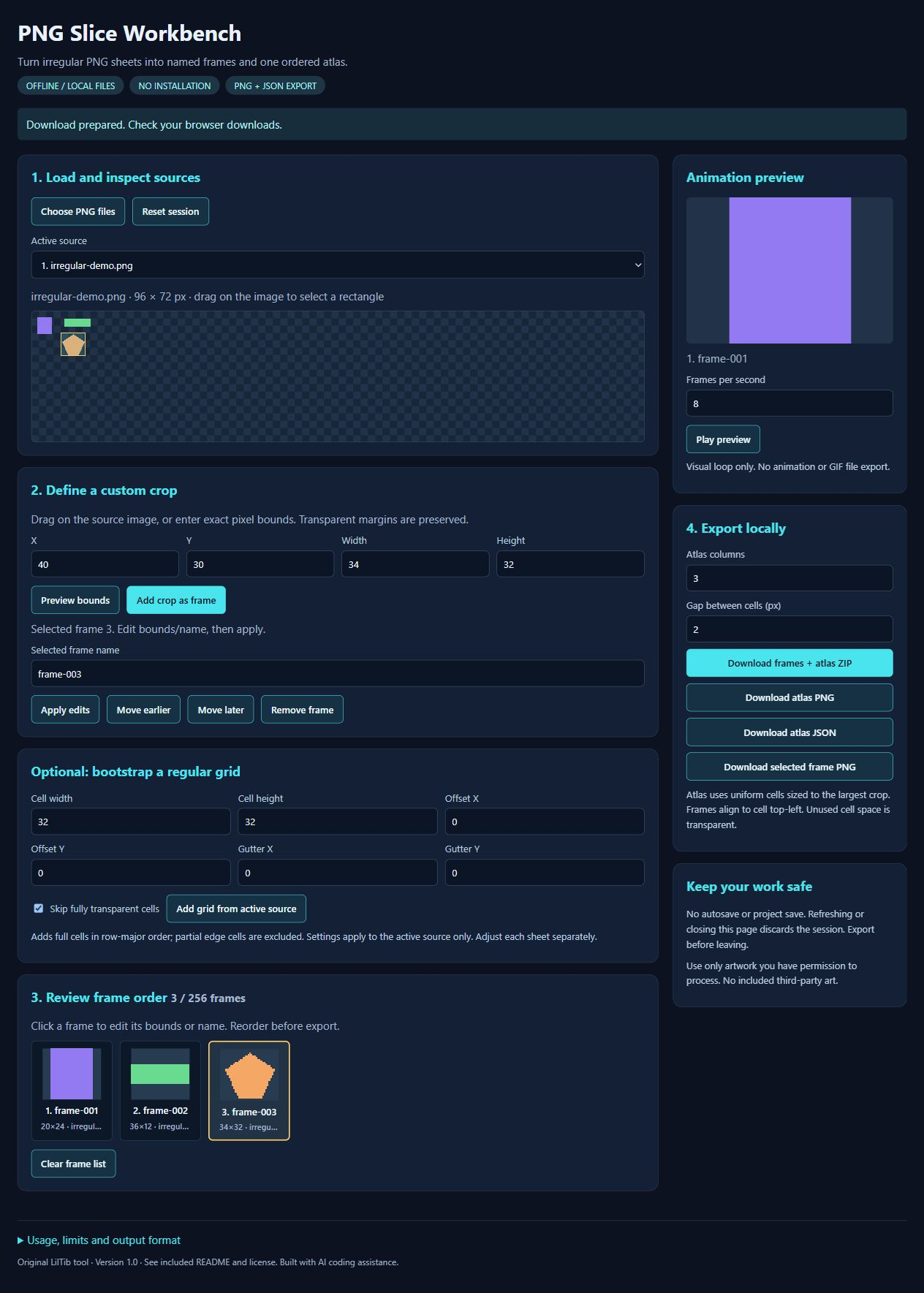
Try the free fixed-example demo at the top of this page. Prefer offline? Download the demo ZIP below, extract it and open PNG-Slice-Workbench-DEMO.html in a desktop browser. Try rectangle selection, numeric crop edits, grid slicing, frame ordering and animation/atlas previews using two included example sheets.
Demo limits: it cannot import your own images or export files. The full $2.99-or-more download supports your PNG imports and PNG/JSON/ZIP exports. The demo requires no purchase, tool account or API key.
Inspect a free output example
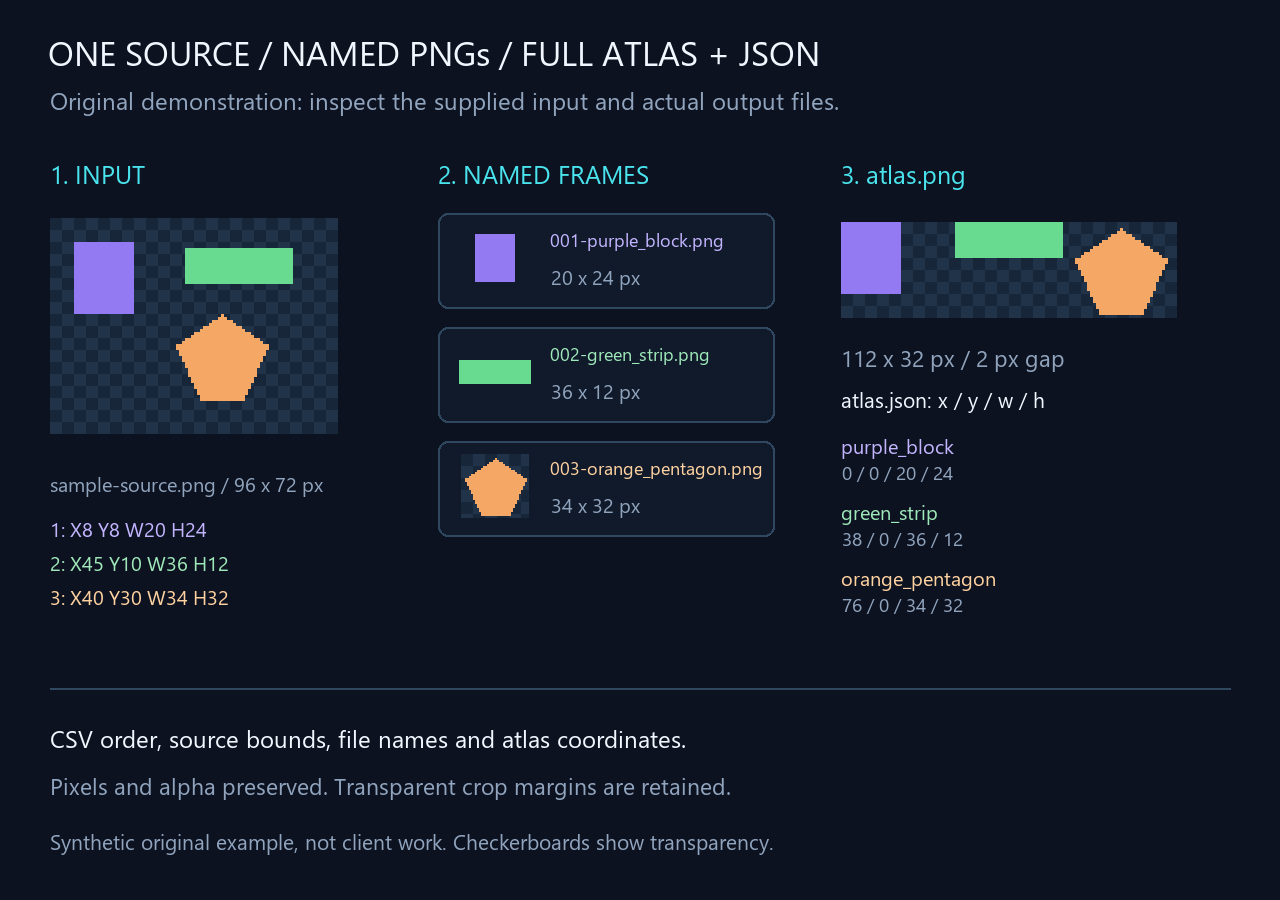
Download original-sprite-slicing-proof.zip below to inspect an original three-frame slicing example. It includes the source PNG and crop CSV in inputs/, named PNG frames and atlas/JSON in outputs/, plus a labeled contact sheet. This is sample data, not the paid tool or client work.
- Compare inputs/sample-source.png with inputs/crop-spec.csv. Rectangles use source-pixel X,Y,Width,Height, not right/bottom coordinates.
- Compare outputs/frames/ with the source rectangles. Pixels and transparency are preserved without resizing or trimming.
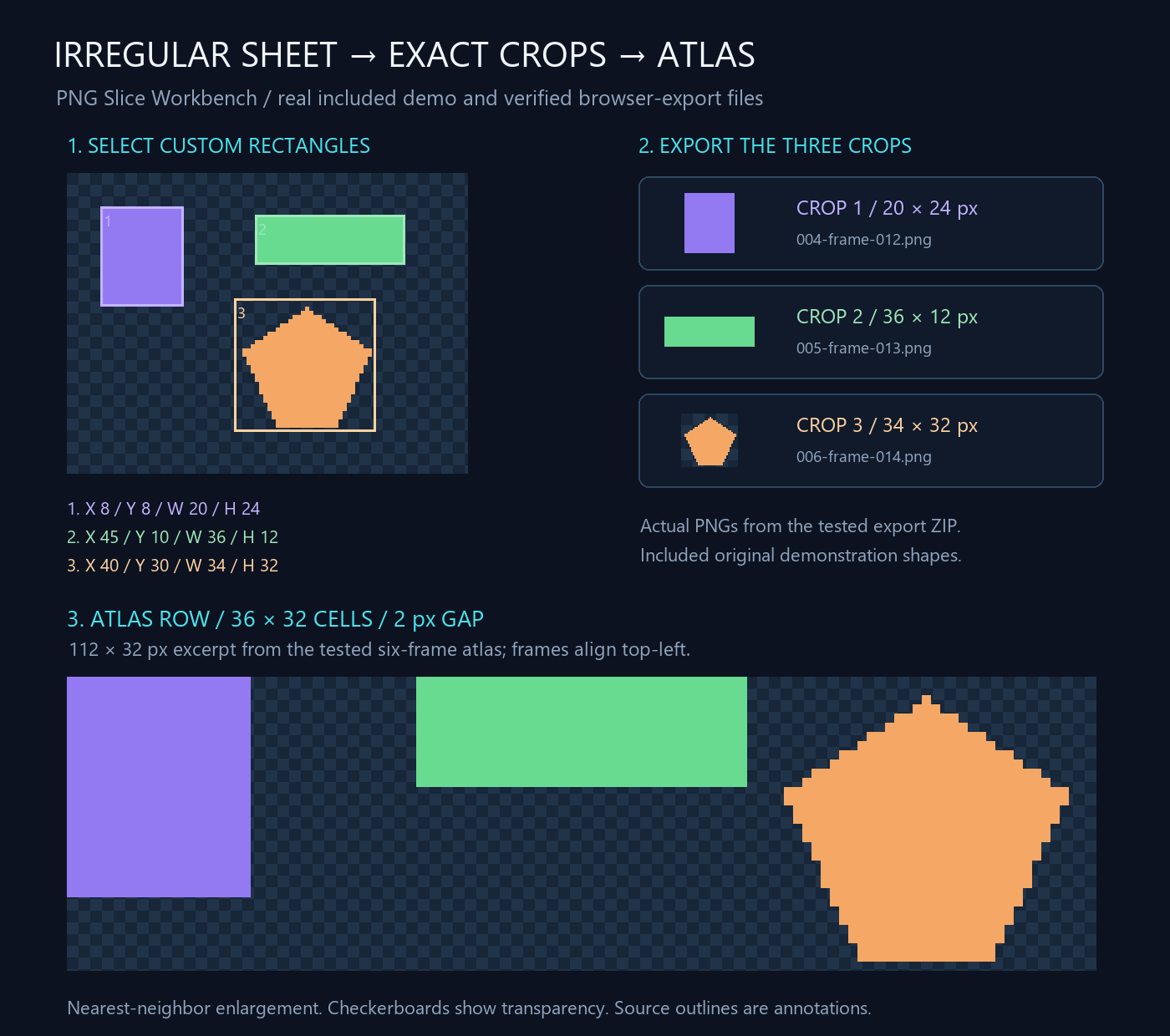
- Compare outputs/atlas.png and outputs/atlas.json. Three 36 × 32 cells with a two-pixel gap form a 112 × 32 atlas; frames begin at X0, X38 and X76, Y0.
This example was prepared by a local Python/Pillow script with AI coding assistance and independently checked pixel-for-pixel. It is separate from the tool browser-export test. JSON is generic metadata; no engine importer. Original example shapes permit personal/commercial use and optional attribution; read outputs/README.txt.
What you can do in the paid version
- Custom rectangles and exact numeric crop bounds.
- Load multiple PNG sheets and choose the active source.
- Grid slicing with cell size, offsets and gutters; skip fully transparent cells.
- Rename, reorder and remove frames. Preview the sequence at 1–30 FPS.
- Export a selected PNG, an atlas PNG, coordinate JSON, or one ZIP with every crop, atlas and JSON.
Editing an existing crop
Use Add crop as frame for a new cut. To change an existing frame, select it in the frame list, edit its name or numeric bounds, then click Apply edits. Typing values or clicking Preview bounds does not update the stored frame. The full tool exports the applied frame list. I recommend preparing a new export after changing a cut, frame order, atlas columns or gap; an earlier download keeps its earlier contents.
Your download — $2.99 or more
One ZIP with six files: PNG-Slice-Workbench.html, README.txt, LICENSE.txt, two original demo PNGs and expected-crops.json. Extract and open the HTML file in a modern desktop browser. No installation, account, subscription or API key required. The tool code processes images locally with no tracking, external dependencies or image uploads.
Before buying
This is a downloadable browser utility, not a Windows EXE or game-engine plugin. PNG sources only. The documented JSON is generic coordinate metadata; no engine importer is included. Atlas cells use the largest crop size, top-left alignment and a configurable gap. No tight packing, rotation, alpha trimming, automatic sprite detection or GIF export.
There is no project save or autosave. Closing or refreshing discards edits: export before leaving. Up to 16 sources and 256 frames; image and atlas size limits are documented in the README. Performance varies by browser and hardware. Drag creates a new selection; use numeric bounds to edit an existing crop.
Quality checks
The browser-generated six-frame ZIP was independently checked against the original fixtures: every cropped PNG and the 112 × 66 atlas matched expected RGBA pixels. Source identities, coordinates, order and ZIP integrity were also checked. This is a specific workflow test, not a compatibility guarantee for every browser or image.
License & creation
Use and modify the tool for personal or commercial work on your own devices. Your export rights depend on your source artwork; the tool license imposes no extra restriction on exports. Included original demo shapes permit commercial use and optional attribution. Do not redistribute or sell the HTML/source tool as a standalone or competing product. Read LICENSE.txt.
Developed with AI coding assistance. Automatic file delivery through itch.io after checkout. Follow LilTib for useful tools and interface assets; specific workflow feedback helps guide updates.
Purchase
In order to download this tool you must purchase it at or above the minimum price of $2.99 USD. You will get access to the following files:
Download demo
Development log
Leave a comment
Log in with itch.io to leave a comment.